/work · open-bot
open-bot.
AI teammates that do real work on their own computer. Watch them live, take over any time, and nothing ships without your OK.
§01 · tour
See it do the work.
§02 · the product
What it does.
Straight from the running app.
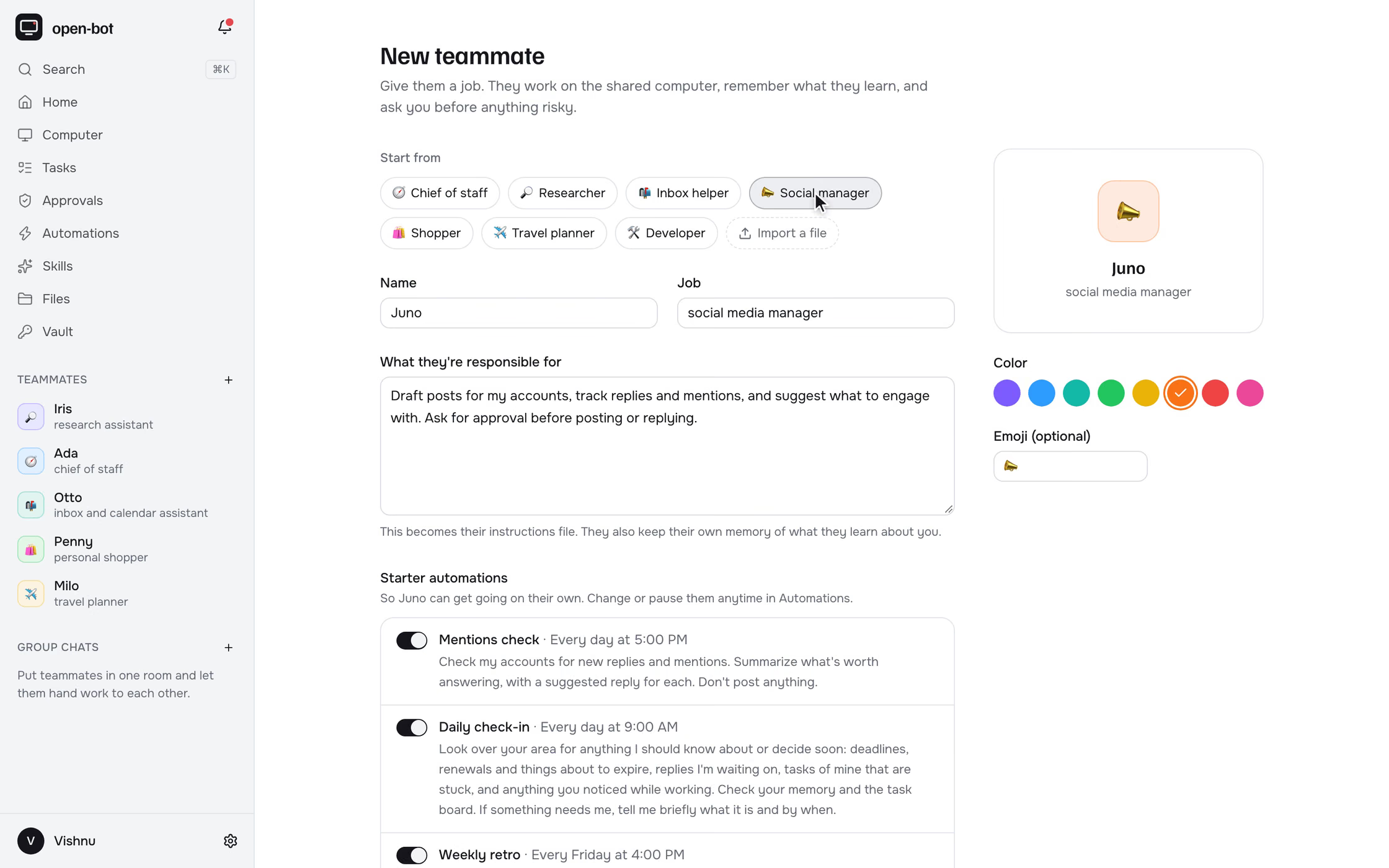
Give them a job
Start from a template or write the job yourself. Each teammate gets its own instructions, its own memory and starter automations it runs on a schedule.
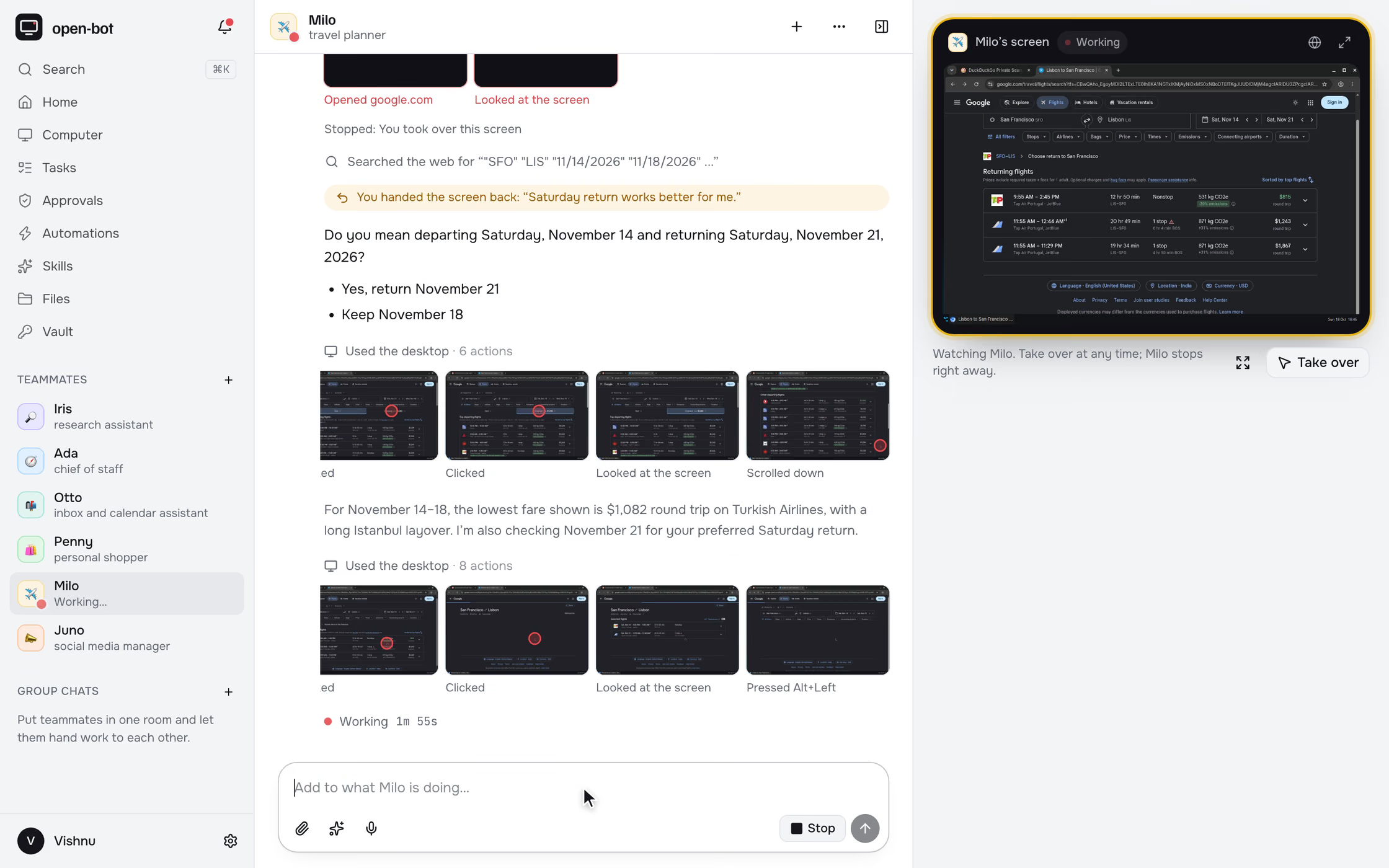
Watch them work
Every click happens in a real browser on the teammate's own screen, streamed live beside the chat, with each step recorded so you can replay it.
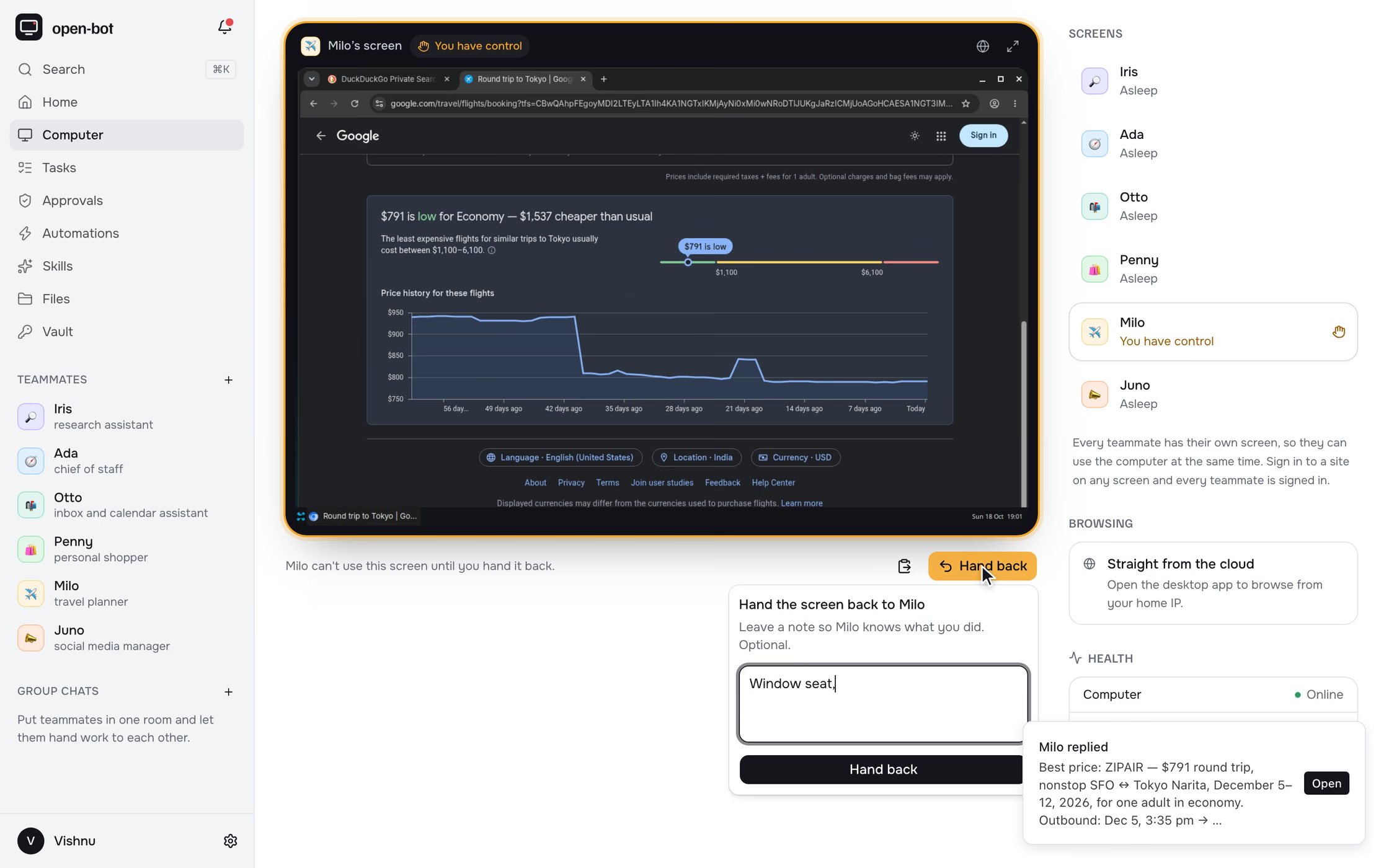
Take the wheel
Take over a screen to type a password, solve a 2FA prompt or pick a seat. The teammate pauses until you hand it back with a note.
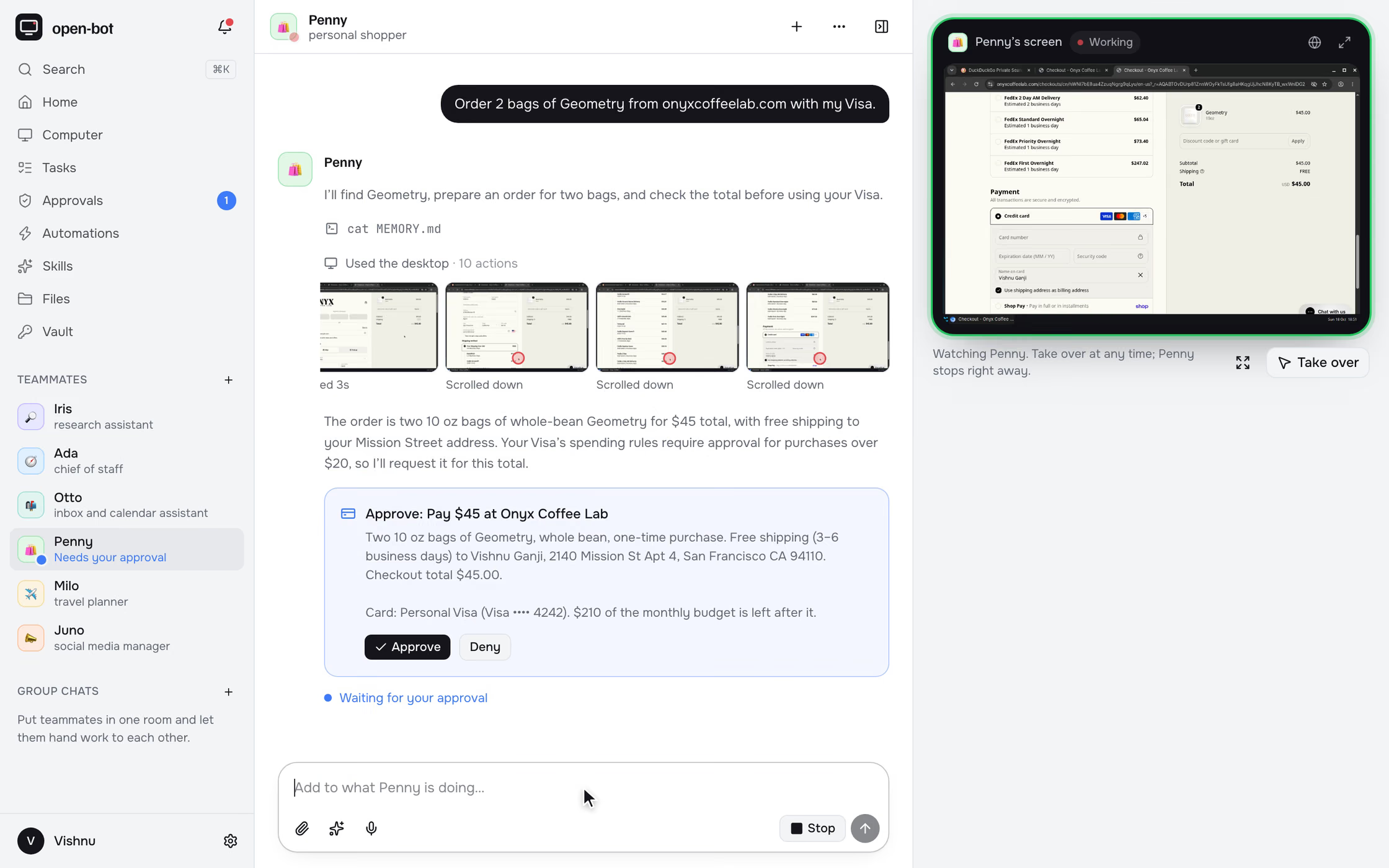
Nothing ships without your OK
Purchases, emails and posts wait for your approval, with the card's spending rules and the budget left shown before you decide.
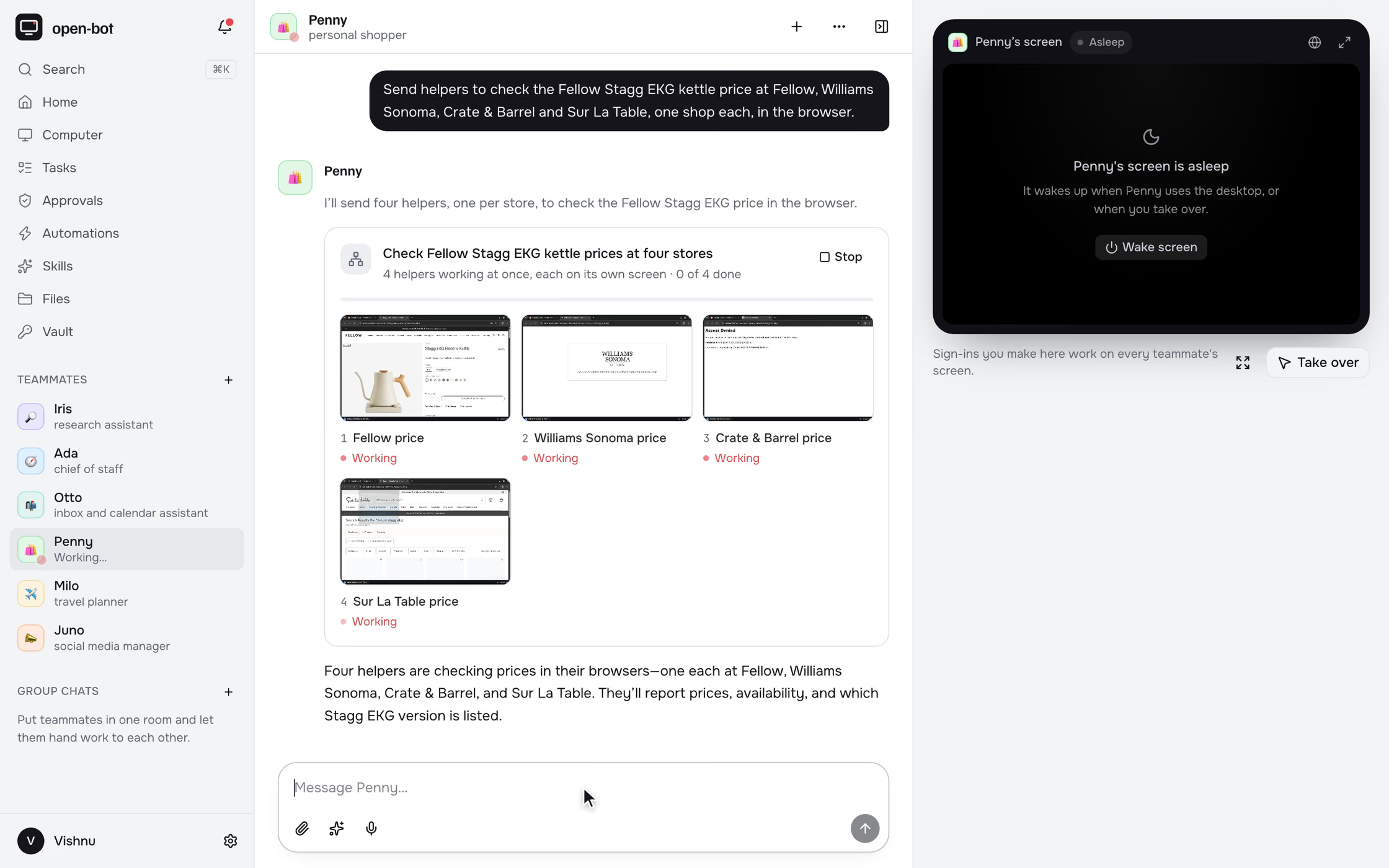
Many hands at once
Split a big job across helpers that work in parallel, each on its own screen, then combine what they found into one answer.
and the rest
- Schedules and reminders
- Page watches
- Webhooks
- Group chats with a lead
- Shared task board
- Memory you can edit and forget
- Vault for logins and cards
- Monthly budgets
- MCP connections
- Email on your domain
- Telegram approvals
- Voice in and out
- Push notifications
- Plan to API key fallback
§03 · architecture
How it moves the data.
§04 · problem
Chat assistants can explain how to compare prices, book a flight or clear an inbox, but they can't do it. That work lives behind logged-in websites, not APIs. Grok Bot, OpenAI Dots and Meta Muse showed that agents with a computer of their own can do this kind of work. I wanted one that is personal and open source: one I can watch, interrupt, and trust with my own accounts.
§05 · approach
You create teammates and give each one a job. They share one always-on cloud computer, and every teammate gets its own screen with a Linux desktop, a browser, a shell and files, so several can work at once. You watch any screen live, press Take over to type a password or solve a 2FA prompt, then hand it back with a note. Sending, buying, publishing and deleting wait for your approval. Saved logins and cards sit in a vault that teammates can use but never see, and each teammate has a monthly budget. Around that sit schedules, page watches, group chats, a shared task board, parallel helpers, editable memory, MCP connections, email and Telegram. Designed and built in two weeks, and live on Railway.
§06 · decisions
What was chosen.
What was rejected.
Codex's shell and file tools act on the machine Codex runs on, and a ChatGPT plan is only reachable through Codex. So the agent runs inside the shared computer and the worker drives it remotely, serving the teammates' own tools (desktop, approvals, takeovers, schedules, handoffs) as Codex dynamic tools. When the plan's limit runs out, the same code path switches to an OpenAI API key under a hard monthly cap: one agent runtime, two ways to pay for it.
Sign in to a site once on any screen and every teammate is signed in. Work passes between teammates as files instead of copies, and there is one machine to run, monitor and pay for. Each screen has its own display, browser profile and lease, held by the teammate's run or by you. A daemon inside the computer checks the lease on every click and keystroke, so a takeover can't be bypassed, and taking over one screen pauses only that teammate.
Runs, schedules and memory jobs are plain rows. The worker claims them with FOR UPDATE SKIP LOCKED, NOTIFY wakes it the moment work arrives, and a run changes state in the same transaction as the data around it. Nothing extra to deploy or keep in sync, and every run can be inspected with SQL.
Websites treat datacenter IPs with suspicion: more CAPTCHAs, more blocked sign-ins. Chromium in the computer talks to a local SOCKS5 proxy that carries each connection over a multiplexed tunnel, through the worker, to the Electron app, so sites see a home connection. When the desktop app is closed, browsing falls back to the cloud.
§07 · tradeoffs
What this costs.
- t/01
Teammates share one computer and one OS user, so they can read each other's files. That is fine for a single-user app where every teammate works for the same person; a multi-user version would need a computer per user.
- t/02
Codex hands control back to the model about 30 seconds into a tool call, so a teammate never blocks on a human. A quick approval or hand-back rejoins the running turn; otherwise the turn ends saying what it waits for, and your answer starts a new run in the same chat.
- t/03
Computer use runs on screenshots, which costs tokens, and every awake screen holds about 330 MB of memory. Screens sleep when idle and wake when a teammate or you need them.
- t/04
Memory is versioned rows in Postgres, recalled with keyword and vector search merged by reciprocal rank fusion. Vector search is exact for now; an approximate index waits until data size and measured latency call for one.
§08 · stack